If you want to know how to start a WordPress blog, the process is much simpler than it can look from the outside. You need a name, a domain, reliable hosting, WordPress and something worth writing about. Most of the technical work can now be handled for you, so the real challenge is avoiding the temptation to make the first version far more complicated than it needs to be.
I have built enough WordPress sites to know how quickly that can happen. You start by looking for a theme, then you are comparing page builders, SEO plugins, email tools and social platforms. Three days later the site has a lot of settings and no articles.
This guide takes the route I would use myself if I were starting again today.
Start With the Reason for the Blog
Before paying for hosting, decide what the site is going to be about.
You do not need a formal business plan. You do need a sentence that explains what you intend to publish and who it is for.
For example:
“I want to build a straightforward home-improvement blog for people tackling everyday jobs around the house themselves.”
That is enough to begin.
I have written before about why every website needs a clear purpose, and a blog is no different. Knowing what you want the site to do makes the decisions that follow much easier.
It gives you a direction for the name, categories, design and first few articles. It also stops the site becoming a collection of unrelated subjects simply because you happened to have an idea that morning.
If you are learning how to start a WordPress blog, this is the bit I would spend some time on. The software can be installed in minutes. A confused idea can follow the site around for years.
What You Actually Need
The basic setup is small:
- a domain name;
- web hosting;
- WordPress;
- a theme;
- and your first piece of content.
WordPress itself is open-source publishing software. With the self-hosted version, you arrange your own domain and hosting and install WordPress there. WordPress’s own beginner documentation follows much the same path: make a plan, install WordPress and then set it up.
You do not need to understand databases, PHP or server administration before you begin.
That is one of the reasons I prefer managed hosting for a first serious blog. It removes a lot of the background work and leaves you to concentrate on the website itself.
Choose a Domain You Can Grow With
People can spend far too long searching for the perfect domain.
I have done it myself.
A good domain should be easy to remember, easy to spell and broad enough to survive if the blog changes slightly over time.
When people search how to start a WordPress blog, domain advice often gets made far more complicated than it needs to be. I would avoid stuffing keywords into the name simply because you think Google might like them. I would also avoid a name that locks you into one tiny part of a subject unless that narrow focus is intentional.
Ask yourself:
- Could somebody hear the name and spell it?
- Would it look sensible as a logo?
- Does it still work if the site grows?
- Would I be happy saying the name out loud a year from now?
If the answer is yes, you are probably close enough.
The domain does not need to be clever. It needs to be usable.
Why I Would Use Hostinger Cloud
A lot of guides about how to start a WordPress blog turn the hosting section into a giant comparison table.
I am taking a different approach.
I am using Hostinger Cloud because it is a platform I have spent a lot of time working with across my own WordPress projects. I would rather explain why I use something I know than pretend I have personally tested every hosting company on the market.
For a serious new project, Hostinger Cloud gives me the balance I want: managed infrastructure, WordPress tools, backups, staging and enough room to grow without having to manage a VPS.
Hostinger currently includes managed WordPress features across its hosting range. Its Business and Cloud products include daily backups, and its hosting platform includes WordPress staging and automated installation tools.
That matters because a beginner should not have to become a server administrator simply to publish an article.
Do You Need Cloud Hosting?
No.
If you are trying blogging for the first time and are not sure you will still be interested in six months, a cheaper managed WordPress package can be perfectly reasonable.
Hostinger offers lower-cost managed WordPress plans as well as Cloud hosting.
I lean towards Cloud when the intention is to build the site seriously, run several projects or avoid having to think about moving to a more capable plan too soon.
That is a preference, not a requirement.
How to Start a WordPress Blog With Hostinger
With Hostinger, the WordPress setup is mostly automated.
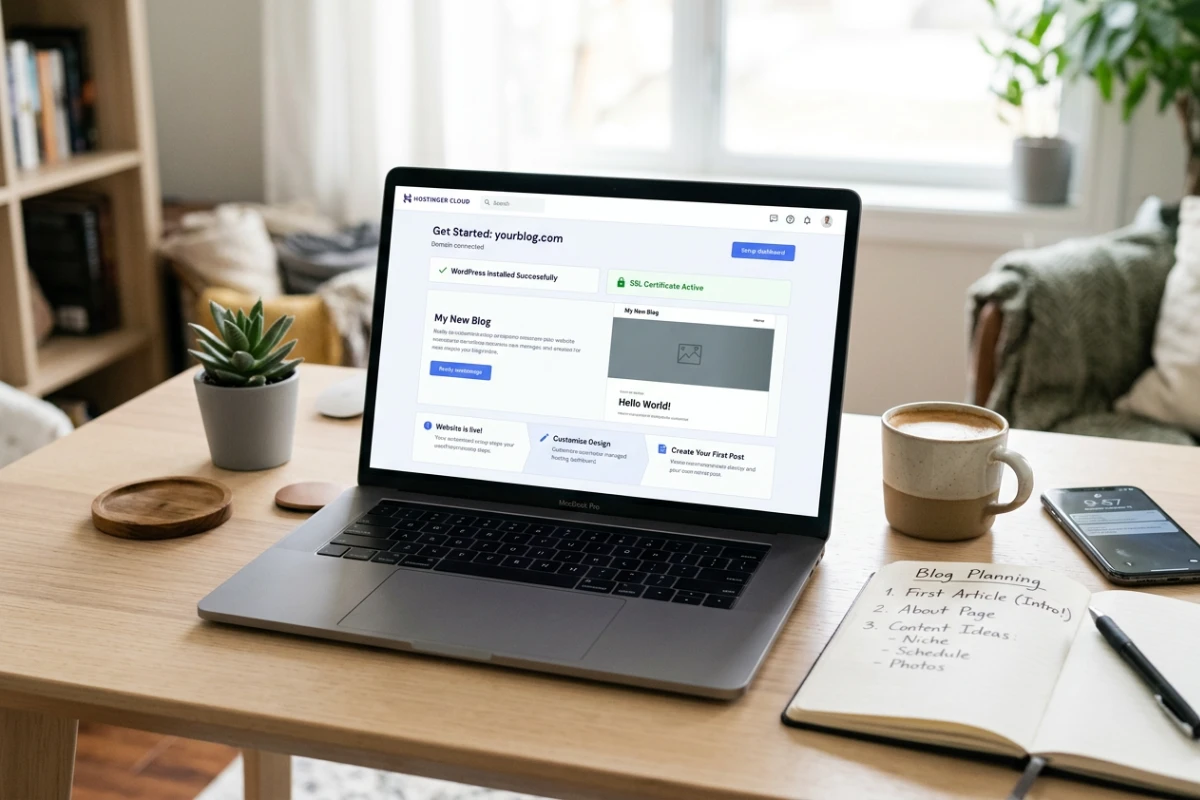
Once your hosting is active, the onboarding process guides you through creating the website, connecting the domain and installing WordPress. You choose the site details, create your administrator login and let Hostinger handle the background setup.
There is no need to create a database manually or work through technical server settings.
Use a strong administrator password and store the login somewhere secure.
Once the setup is complete, open the WordPress dashboard and you are ready to start building the blog.
At this stage, I would resist the urge to customise everything immediately.
Get the basic structure in place, choose a clean theme and move on to the first piece of content.
Prefer Someone Else to Set It Up?
I am also preparing a small bespoke WordPress setup service for people who would rather have the hosting and initial website setup handled for them.
I have been building and working with websites for more than 20 years. This will not be a faceless setup service where a site is rushed out from a template and forgotten about as soon as the invoice is paid.
The number of available places will be deliberately limited. I want enough time to understand what each website is meant to do, set it up properly and give every project my full attention.
The service will cover the practical foundations: hosting, WordPress installation, initial configuration and getting the site into a solid position from which you can start publishing.
You bring the idea for the blog. I help make sure the technical foundation does not get in the way of it.
More details will be added to The Blog Edit when the service launches.
Do Not Spend a Week Choosing a Theme
This is one of the easiest ways to delay a new blog.
Themes are more interesting than writing legal pages or planning categories, so it is tempting to keep trying them.
Pick something clean, responsive and actively maintained.
Then use it.
WordPress has its own theme directory and block-based editing tools, so you can start with a straightforward design and change it later.
For a beginner, I care more about website readability, sensible mobile behaviour and a layout that does not fight the content than I do about animation or elaborate homepage effects.
The first design does not need to be permanent. I eventually stopped constantly rebuilding WordPress websites because I realised that repeatedly changing the design was taking attention away from the part that actually mattered: publishing useful content.
Your first ten articles will teach you more about the layout you need than a week of looking at demo sites.
Make the Basic Settings Boring
There are a few WordPress settings I would check before publishing:
- site title;
- tagline;
- administrator email;
- time zone;
- permalink structure;
- and any sample content you no longer need.
That is enough for now.
One of the reasons how to start a WordPress blog can seem harder than it really is is that WordPress exposes a lot of options. You do not need to understand every one of them on the first day.
If you do not know what a setting does and there is no reason to change it, leave it alone until you do.
Create the Essential Pages
A new blog needs a little more than posts.
I would normally create:
About — what the site is, who it is for and why you are publishing it.
Contact — a simple way for readers, companies or potential collaborators to reach you.
Privacy Policy — particularly once analytics, forms, cookies or advertising are involved.
Disclosure — if you use affiliate links or have commercial relationships.
The exact legal requirements depend on the site, what it collects and where its readers are located, so this is one area where I would not blindly copy another site’s wording.
What I would not do is create fifteen empty pages simply to make the website look bigger.
Install Plugins Because You Need Them
A big part of WordPress’s appeal is how easily you can extend it with plugins.
They are also an easy way to clutter a new installation.
I would not begin by searching for a list of “25 essential WordPress plugins” and installing all of them.
Start with a need.
If you want SEO controls, install an SEO plugin.
If you need a contact form, choose a suitable form plugin.
If the host already handles routine backups, do not automatically install another backup system without a reason. Hostinger’s Business and Cloud plans, for example, currently include automatic daily backups.
The same principle applies to caching, security and image optimisation.
Find out what is already being handled before adding another layer.
Publish Earlier Than You Think You Should
This is the point people postpone.
Do not.
When I explain how to start a WordPress blog, publishing the first proper article is part of the setup, not something you do once the setup is perfect.
Real content exposes things that a blank site never will.
You discover whether the type is comfortable to read.
You find out whether your headings look right.
You notice that the category names are awkward.
You see how a featured image behaves on mobile.
You realise that a homepage section you spent an hour designing does not actually help anybody.
Five real articles will tell you more about the website than five days of polishing an empty theme.
Write for a Reader Before You Write for a Keyword
SEO matters, especially if you want Google to become a source of traffic.
But I would not teach a new blogger to begin by forcing keywords into every paragraph.
Start with the question.
Answer it properly.
Use a clear title.
Break the article into useful sections.
Link to other relevant pages.
Make it comfortable to read on a phone.
Google’s SEO guidance centres on helping search engines understand useful content rather than providing a magic formula for rankings.
You can become more deliberate with keyword research as the site grows.
The basic habit should always be the same: publish something that deserves the visit.
Connect Google Search Console
I would set up Google Search Console early.
It is free, and Google describes it as a tool for website owners to understand how their site is performing in Search and how Google crawls and indexes it.
Do not expect fireworks after publishing three posts.
The value comes later.
As the site develops you can see which pages are getting impressions, which queries are finding them and whether Google is having problems accessing anything important.
This is also why learning how to start a WordPress blog should include a little attention to what happens after publication.
You are not just creating pages.
You are starting to build an archive that can be found.
Set Search Console up, check it occasionally and then get back to publishing.
Handle Images Properly From the Beginning
Large images are an easy problem to create and an annoying one to clean up later.
Do not upload a huge camera file simply because WordPress accepts it.
Resize images sensibly and compress them before or during upload.
I have spent enough time dealing with image size and website performance that I built ImageCom.press as a simple tool for compressing images before they reach a website.
WordPress also continues to improve its own image handling and Hostinger adds another layer on top. Its CDN includes WebP image compression and Smart Image Optimisation, which can automatically adjust image quality and sizing for desktop and mobile visitors.
That is another reason I would check what the hosting already provides before installing a separate image optimisation plugin. You may find that a good part of the job is already being handled for you.
Give image files clear names and add useful alt text when it genuinely helps describe the image.
Good habits are much easier to start than to retrofit to thousands of old images.
Backups Are Not Optional Once the Site Matters
Backups are easy to ignore while everything is running smoothly, but the moment something goes wrong they become essential.
A plugin update can fail. A file can be deleted. A change can go wrong. A site can be compromised.
This is one of the reasons I like having the hosting layer deal with routine backups. Hostinger currently provides daily automatic backups on its Business and Cloud plans.
I would still check that the backups exist and understand how to restore one.
“Automatic” should not mean “never looked at it”.
Use Staging When Changes Start to Matter
Staging is simply a private copy of the website where you can test changes before pushing them onto the live site.
A brand-new blog with two visitors does not need an elaborate release process.
An established site with search traffic and income attached to it is different.
That is when staging becomes useful.
Hostinger includes a WordPress staging tool on relevant managed plans, including its higher-tier hosting products.
It is one of those features you may not care about on day one but can be very glad to have later.
Do Not Try to Monetise an Empty Website
If part of the reason you are learning how to start a WordPress blog is to make money eventually, that is fine.
Blogs can support advertising, affiliate marketing, services, products, sponsorship and newsletters.
But there is not much to monetise until the site has something worth visiting.
I would not fill a new homepage with advertising.
I would not join twenty affiliate programmes before publishing useful content.
And I would not spend more time designing a sales funnel than writing the material that is supposed to bring people to it.
Build the asset first.
Commercial opportunities become much easier to judge once the site has an audience and a clear subject.
You Do Not Need Every Social Network
Launching a blog does not mean you suddenly need seven social accounts.
Secure important names if you want to protect the brand.
Then choose the channels you can realistically use.
A blog with one active social account is more convincing than a row of icons leading to abandoned profiles.
I see social media as support for the website, not a replacement for it.
The website is the part you control.
Social networks can still be useful for bringing new readers back to the website.
What I Would Not Buy on Day One
Starting a site creates a lot of opportunities to spend money.
I would not immediately buy:
- an expensive premium theme;
- a huge plugin bundle;
- a costly SEO subscription;
- a custom email automation stack;
- dozens of stock-image credits;
- or every blogging course advertised to me.
You may eventually decide some of those things are worth paying for.
You do not know that yet.
If you want to know how to start a WordPress blog without wasting money, buy the infrastructure you genuinely need and let the site reveal the rest.
A domain and reliable hosting are infrastructure.
Most other expenses can wait until they solve a real problem.
Why Hostinger Cloud Fits the Way I Build Blogs
There is a reason I keep coming back to Hostinger Cloud in this guide.
For somebody researching how to start a WordPress blog, the hosting choice should make the job easier rather than becoming another subject they have to master.
I use Hostinger Cloud.
I know the control panel.
I know how quickly I can deploy WordPress.
I know I can create staging copies and rely on regular backups rather than building those systems from scratch.
That does not make Hostinger the only good WordPress host.
It makes it the one I am comfortable recommending from my own workflow.
Hostinger is also listed by WordPress.org among its hosting options, where it is described as offering managed hosting for WordPress alongside features including automated backups and a built-in CDN.
For somebody building one serious blog, I like having enough headroom that hosting is unlikely to become the first thing I need to replace.
For somebody who just wants to experiment with a personal blog, I would start more cheaply.
The right plan depends on what you intend to build.
How Long Does It Take?
The technical setup can be quick.
WordPress’s own documentation describes installation as straightforward, and many hosts provide automatic installation tools.
Building a worthwhile blog takes longer.
That is where expectations matter.
The first afternoon can give you a domain, WordPress and a published page.
The next six months build the archive.
The articles, internal links, returning readers and search visibility are what eventually turn the installation into a publication.
That is why I do not think “launch day” matters as much as people imagine.
The important question is whether you are still publishing afterwards.
Your First Version Can Be Simple
The first version of your site is allowed to be basic.
The logo might change.
The homepage probably will.
Your categories may change once you know what you actually enjoy writing.
You may discover that readers are interested in a part of the subject you barely considered at the beginning.
That is normal.
Trying to predict all of it before you publish is where people get stuck.
Create a sound foundation and let real use shape the next version.
It is easier to improve a simple blog with 30 useful articles than a beautiful blog with none.
How to Start a WordPress Blog and Actually Keep Going
The setup is not the hard part.
Consistency is.
If you are serious about learning how to start a WordPress blog, give yourself a simple publishing target and make the website serve that target rather than becoming a hobby in its own right.
For me, the practical route is:
- Decide what the site is about.
- Choose a domain.
- Use managed hosting you trust.
- Install WordPress.
- Pick a simple theme.
- Create the essential pages.
- Install only the plugins you need.
- Publish the first article.
- Connect Search Console.
- Keep publishing.
The answer to how to start a WordPress blog is not hidden in a complicated technical checklist. For a serious project, I would use Hostinger Cloud because it fits the way I work and removes a lot of hosting administration from the process.
But the hosting account is not the blog.
WordPress is not the blog.
The theme is not the blog.
The blog is the useful material you keep publishing after all of those things have been set up.
Get those foundations right, and everything you build afterwards has a much better chance of working.