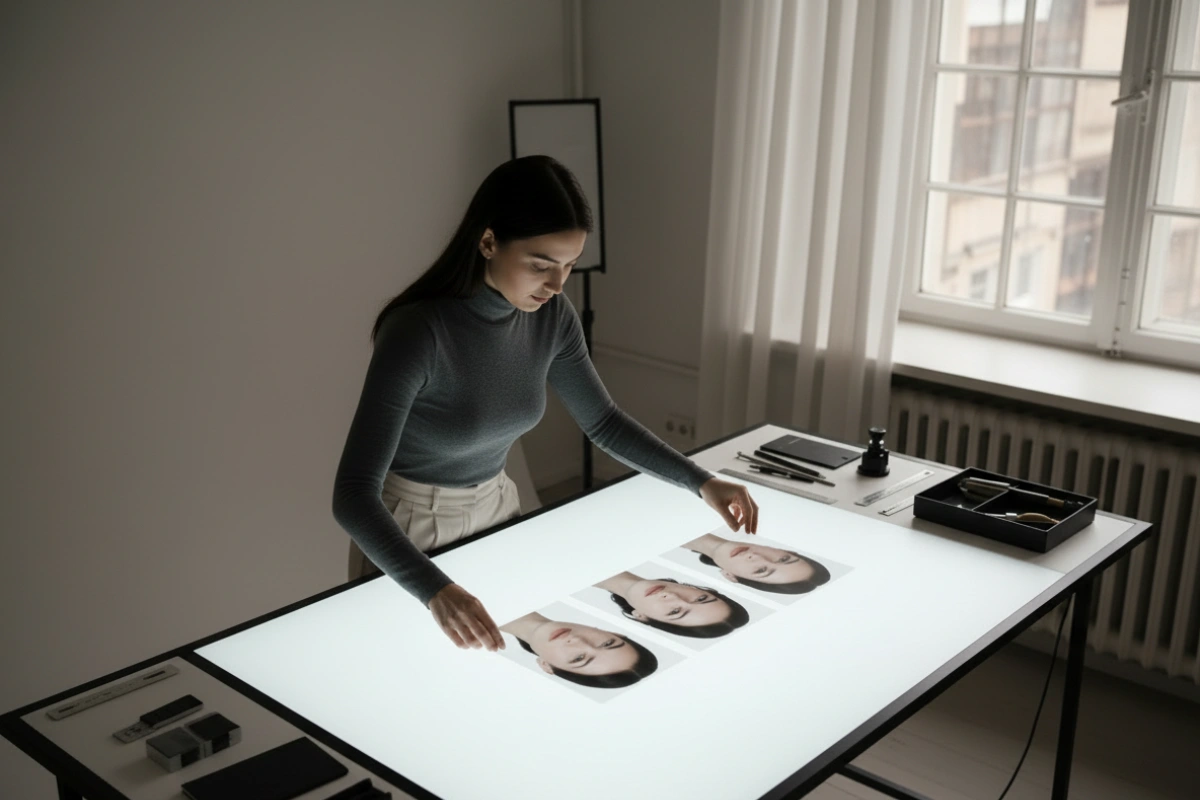
Creating an attractive AI-generated person is relatively easy. Creating the same recognisable person across different images is much harder.
When I created Kaia Varen, I did not want a folder filled with unrelated AI-generated women. I wanted her to remain recognisable whether she was standing in a studio, walking through New York, appearing in a fashion shoot or sitting in an office.
That is where AI influencer face consistency becomes essential.
This is an in-depth article about the process behind that consistency. It is not a page filled with pretty AI images and vague prompting advice. I want to focus on the core decisions that determine whether a digital character genuinely looks like the same person.
A face does not need to change dramatically for the identity to weaken. Small differences in the eyes, jawline, nose, lips or apparent age can make two impressive images look as though they contain different people.
There is no single instruction that fixes this. My results improved when I stopped searching for a magical prompt and started treating consistency as a complete workflow.
Why AI Influencer Face Consistency Matters
An AI influencer depends on recognition.
A real person can change their clothing, hairstyle, makeup and location while still looking like themselves. A digital character needs to achieve the same effect.
When several generated images appear together on an Instagram profile or website, inconsistencies become much easier to notice. Each image may look convincing on its own, but differences in facial proportions can make the collection feel artificial.
Strong AI influencer face consistency creates the impression of one established character rather than a succession of similar-looking models.
That consistency also becomes more important as the project grows. Once a character appears across social media, articles, videos and promotional material, every weak image risks diluting the identity.
It Starts With One Strong Identity Image
Before creating different scenes and outfits, I needed one image that clearly established who Kaia was.
The face had to be visible, well lit and detailed enough for an image model to follow. Extreme angles, heavy shadows and partially covered faces may create interesting photographs, but they are poor foundations for a consistent identity.
I looked closely at the characteristics that made the face distinctive:
- Face shape
- Eye shape and spacing
- Nose and lip structure
- Jawline and cheekbones
- Hairline and hair colour
- Apparent age
- Overall expression and character
Once I found the right image, I treated it as the main identity reference.
I did not replace it every time I generated a new image that looked good. Constantly changing the reference can gradually change the character.
This is one of the main reasons I decided to build my own AI influencer image studio. I wanted the identity image and generation controls to remain part of one repeatable process.
A Reference Image Is More Important Than a Long Prompt
Written descriptions can define a general appearance, but they struggle to preserve one unique face.
I could describe Kaia as having dark hair, strong cheekbones, brown eyes and a defined jawline. That description could still generate thousands of different people.
A reference image contains relationships between facial features that are difficult to communicate through text alone.
The image tells the model who the person is. The prompt should then concentrate on what that person is doing, wearing and seeing around them.
The reference does not guarantee a perfect result. The model still interprets it alongside the rest of the instructions. However, it gives every generation a consistent starting point instead of asking the AI to invent the character again.
Identity Strength Needs Balancing
Persona Studio includes an identity-strength control that affects how closely the generated image follows the reference.
Increasing the setting can improve facial consistency, but stronger is not automatically better.
When the identity strength is too low, the face can drift. The image may still look impressive, but it no longer looks convincingly like Kaia.
When the setting is too high, the model may copy the original expression, angle or composition too closely. The face remains consistent, but the images can become stiff and repetitive.
The useful setting sits between those two extremes.
I want enough strength to preserve the important facial structure while still allowing a new pose, outfit and location.
There is no single setting that works for every scene. A straightforward portrait is easier to control than a full-body image with movement, dramatic lighting or an unusual camera angle.
My studio connects to different image-generation models through Replicate, allowing me to test how individual models handle identity without rebuilding the entire system.
Separate Identity From the Scene
One of the most useful changes I made was separating the face from the rest of the prompt.
The identity reference handles who the character is. The other instructions describe the image I want to create.
In Persona Studio, I use separate controls for:
- The main scene
- Clothing
- Hairstyle
- Image format
- Identity strength
- Pose or reference structure
This prevents one long prompt from trying to control everything at once.
For example, the main prompt might describe Kaia walking through a busy New York street. The clothing field can specify a T-shirt and jeans, while the hairstyle field controls whether her hair is loose or tied back.
I do not need to redefine her eyes, lips and jawline each time. The reference image already contains that information.
The more facial details I rewrite, the more opportunities I give the model to reinterpret the identity.
I Keep the Identity Description Stable
Although the reference image does most of the work, the written identity description still needs to remain consistent.
Describing a sharp jawline in one prompt and a soft, rounded face in another creates conflicting instructions. The same applies to eye colour, skin tone, age and facial structure.
I therefore keep a short set of approved identity terms rather than writing a new facial description for every image.
The wording supports the reference. It does not attempt to replace it.
Longer prompts do not always create more accurate faces. They can introduce contradictions or cause the model to exaggerate individual features.
A strong reference and a short, stable description have worked better for me than a long paragraph trying to define every detail.
Difficult Angles Cause More Face Drift
Some compositions are naturally harder to generate consistently.
A clear front-facing or three-quarter portrait gives the model more facial information to work with. A complete side profile, low camera angle or distant full-body image requires the model to reconstruct more of the face.
The farther the face is from the camera, the less detail the model has to preserve.
I still use varied poses and angles because repeating the same portrait would make the character feel artificial. I simply accept that difficult compositions require more attempts.
When creating an important image, I often begin with a safer camera angle before introducing more movement or a more ambitious pose.
A pose reference can help control the body and composition, but it serves a different purpose from the identity image.
The identity reference tells the model who the person is. The pose reference helps determine how that person is positioned.
Adobe Firefly’s Structure Reference is an example of a tool that can guide the composition and outline of a generated image. It does not replace the need for a strong facial identity reference.
Generate Several Versions
I rarely accept the first image.
Persona Studio allows me to create multiple variations from the same setup. This makes it easier to compare faces directly rather than judging one result in isolation.
The most visually impressive version is not always the strongest character image.
One variation may have the best lighting and background but contain a face that has drifted. Another may be less dramatic while looking unmistakably like Kaia.
For this project, recognition usually matters more than spectacle.
Generating several versions also helps reveal whether the settings are reliable. If only one image out of many resembles the character, the setup probably needs adjusting.
Reject Images That Are Only Close
This is one of the most important parts of the workflow.
An image can be attractive, polished and technically successful while still being wrong for the character.
Those images are harder to reject when almost every other part of the generation has worked. The outfit may be perfect. The lighting may be excellent. The scene may be exactly what I wanted.
But if the face does not genuinely look like Kaia, I reject it.
Publishing too many almost-correct images gradually weakens the identity. Over time, the benchmark can slip from “this is unmistakably her” to simply accepting something that looks similar enough.
Once that happens, the character starts becoming several slightly different people.
My basic rule is simple: if I have to persuade myself that the image looks like Kaia, it is probably not strong enough.
Maintain a Small Approved Library
The main identity image remains the foundation, but one photograph cannot cover every possible angle.
Over time, I build a small library of approved references. These may include a front-facing portrait, a three-quarter view, a waist-up image and a full-body reference.
Every image must pass the same test: does it clearly preserve the original identity?
I only approve a new reference when it preserves the established identity, not simply because it is visually appealing.
A large folder of inconsistent images is less useful than a small collection of reliable ones.
This approved library gives me more flexibility while preventing the identity from being redefined every time I generate a new scene.
Avoid Generational Drift
Generational drift happens when one generated image becomes the reference for the next, which then becomes the reference for another.
Each change may be small. After several rounds, however, the final face can look noticeably different from the original.
It is similar to repeatedly copying a copy instead of returning to the source.
I regularly return to the main approved identity image rather than creating an endless chain of new references.
A strong new image may be added to the approved library, but the original reference remains the main identity anchor.
That keeps small facial changes from accumulating unnoticed.
Retouching Can Change the Face
Post-production can improve an image, but it can also damage the identity.
Face-enhancement software can alter important features by sharpening the eyes, changing the lips, smoothing the skin or reconstructing parts of the face. Used too aggressively, they can produce a polished face that no longer looks like the same character.
I am comfortable correcting exposure, colour and small background problems. I am more cautious about tools that substantially regenerate the face.
The identity should already be convincing before retouching.
If extensive reconstruction is needed to make the character look right, the original generation was probably not strong enough.
Consistency Does Not Mean Identical Images
AI influencer face consistency should not produce a collection of duplicate portraits.
Real people look different when they smile, move, change their hair or stand under different lighting. A convincing AI character also needs natural variation.
The aim is not to preserve every pixel.
It is to keep the important relationships between the facial features stable while allowing the expression, clothing, pose and surroundings to change.
Too little control produces a different person. Too much control produces the same photograph repeatedly.
The useful result sits between those two extremes.
The Process Matters More Than the Prompt
The biggest lesson I have learned is that consistency does not come from one magical sentence.
The reference image, identity strength, model, camera angle, lighting and selection process all affect the final result.
Some generations will still fail. That is part of working with current image models.
The real system is not designed to make every image usable. It is designed to produce enough convincing options while maintaining a strict standard for what belongs to the character.
For me, AI influencer face consistency comes from returning to the established identity, controlling the important variables and refusing to publish every image simply because it looks attractive.
The AI creates the possibilities. Human judgement protects the identity.
Maintaining AI influencer face consistency is ultimately less about finding the perfect prompt and more about building a controlled, repeatable workflow.
You can find more practical articles about independent AI tools in The Blog Edit’s AI Tools section.