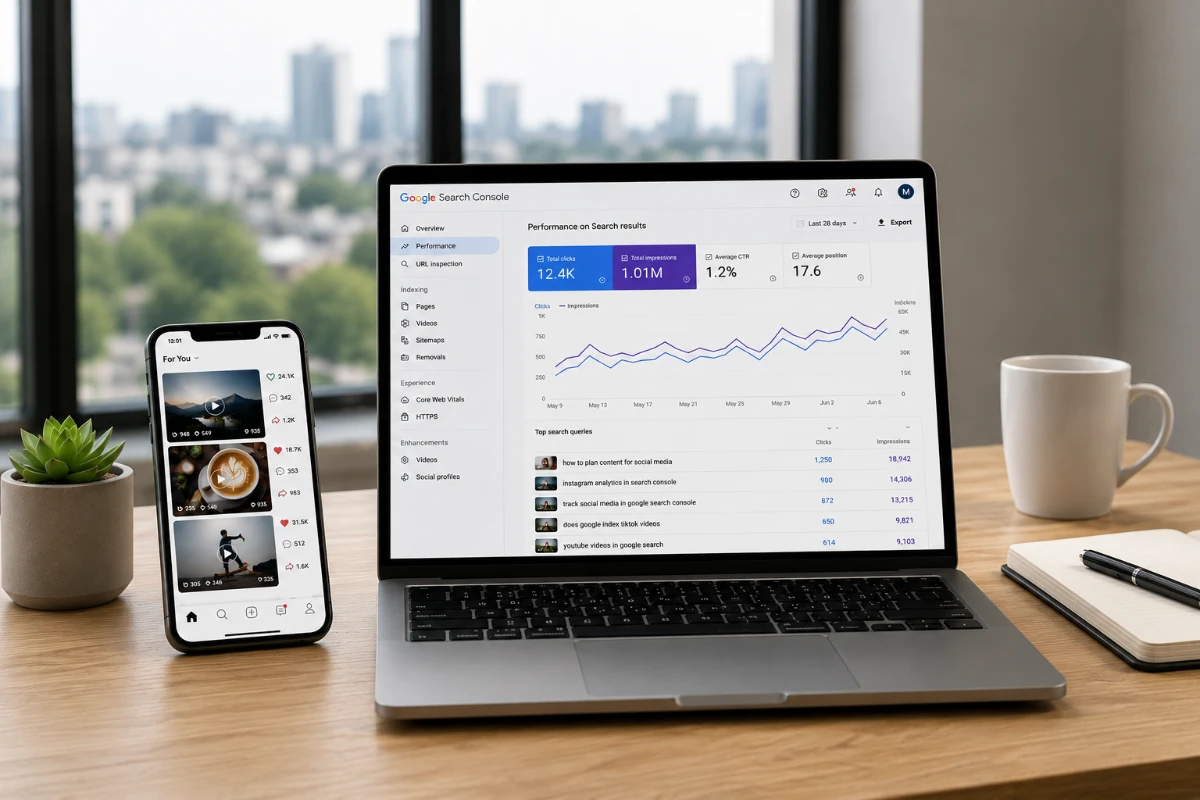
If you want to track social media in Google Search Console, you can now add Instagram, TikTok, X and YouTube accounts alongside your websites. Google calls them platform properties, and they show how individual posts and videos are being discovered through Google rather than only through the social platforms themselves.
For somebody publishing across a website and social media, this is much more useful than it may first sound.
It gives us another way to see which subjects are attracting search interest, which old posts are still being discovered and whether something published on social media deserves a more substantial article on the website.
Search Console Is No Longer Just About Your Website
I have always associated Google Search Console with websites.
You add a domain, verify ownership and then use Search Console to see which pages Google is finding, what people are searching for and how those pages are performing.
Platform properties extend that idea beyond your own domain.
Google first announced the feature in July 2026 and made platform properties globally available later that month. The supported platforms are currently Instagram, TikTok, X and YouTube.
Once an account has been added and verified, Search Console can show how its content performs across Google Search, Discover and Google News.
That is an important distinction.
This is not telling you how a Reel performs inside Instagram or how many people watched a YouTube video from their subscriptions.
The native platforms already provide that information.
Search Console is showing what happens when Google itself sends somebody towards that content.
Which Social Platforms Can You Add?
At the moment, Google supports four platform property types:
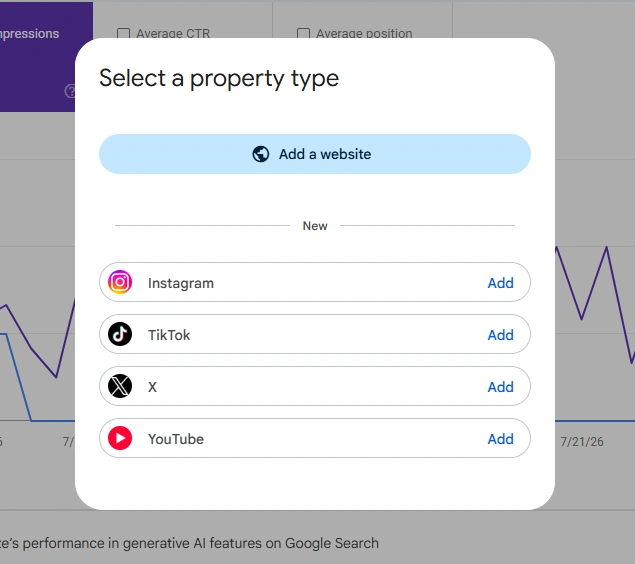
- TikTok
- X
- YouTube
Each account is added as its own Search Console property. Google asks you to authorise the connection so it can verify that you control the account.
To add one:
- Open Google Search Console.
- Open the property selector.
- Choose Add property.
- Select the social or video platform.
- Follow the verification steps.
If you publish on several networks, you can add each one separately.
That means a publisher could have a normal website property alongside an Instagram property, YouTube property and X property in the same Search Console account.
What Does Search Console Show for Social Media?
The reports will look familiar if you already use Search Console for a website.
The Performance report can show clicks, impressions and the queries bringing people to your social content. You can also drill down into individual posts or videos and filter the results by date, country, device and search term.
There is also an Insights report.
That provides a simpler view of recent performance, including:
- traffic over the previous 28 days;
- top-performing posts or videos;
- the queries that are leading people to your content;
- and the countries those visitors come from.
Google also includes Achievements, which marks milestones such as reaching a new level of Search traffic.
Personally, I would spend far more time looking at queries and individual content than achievements.
A badge telling me I reached a new click milestone is nice.
Knowing why those clicks appeared is much more useful.
The Search Queries Are the Part I Would Watch
Once you track social media in Google Search Console, the query data is probably the first place I would go.
Social platforms tell us a lot about engagement.
Likes, comments, shares and views can all show whether something attracted attention.
But they do not necessarily tell us how people outside that platform are searching for the subject.
Search Console can.
Google’s Insights report can group queries and show which groups are rising, falling or currently generating the most interest.
Imagine you published a short video several months ago and thought very little more about it.
Suddenly its Google impressions start rising.
You look at the queries and discover that people are searching for one particular part of the subject.
That is useful information.
I would not simply celebrate the extra traffic.
I would ask whether that search behaviour gives me another publishing opportunity.
A Social Post Can Become the Research for an Article
This is where I think the feature becomes particularly useful for independent publishers.
A social post does not have to be the finished piece of content.
It can be the test.
Suppose I publish a short Instagram Reel about a WordPress problem.
The Reel itself might only last 30 seconds.
If Search Console later shows that Google users are repeatedly finding it through a particular question, I now have evidence that people are looking for that answer.
That could justify a full article on The Blog Edit.
The website article can go into much more detail, include screenshots, explain the reasoning and link to related material.
The social post discovered the demand.
The website becomes the place where I properly answer it.
That approach also fits with something I keep coming back to when I plan a WordPress website: the site needs a clear purpose. Social platforms can bring attention, but I would still rather build the deeper material on a website I control.
Look at Posts That Suddenly Come Back to Life
New content is not the only thing worth watching.
Google specifically recommends looking for sudden increases in impressions or clicks to older videos and social posts.
An old post can start attracting attention again because:
- the subject has returned to the news;
- a seasonal search has started;
- somebody influential has mentioned the topic;
- a product has changed;
- or Google has simply started surfacing that content more often.
That gives an old piece of content another life.
You could update the caption, publish a follow-up, create a longer version or build an article around the topic.
This is far more useful than assuming every publishing decision needs to begin with something completely new.
Sometimes the audience is already telling you what deserves another look.
The 24-Hour View Could Be Particularly Useful
Search Console also provides a 24-hour performance filter for platform properties.
Google suggests using it to spot a piece of social content that suddenly starts picking up Search traffic soon after publication.
For a publisher, that could become a very simple routine.
Publish something.
Give it some time.
Check whether Google Search is beginning to surface it.
If one query starts moving quickly, decide whether there is an opportunity to produce more around the same subject while interest is still growing.
That does not mean chasing every short-lived trend.
I would still rather publish something useful than spend all day reacting to graphs.
But it gives us another signal when deciding which subjects deserve attention.
You Can Compare Reels With Posts and Shorts With Videos
One of the smarter parts of the reporting is the ability to compare different content formats.
Google’s own documentation gives examples for Instagram and YouTube.
On Instagram, URLs containing /p/ can be compared with URLs containing /reels/.
On YouTube, /watch URLs can be compared with /shorts/.
That means you could look at whether your Reels are receiving more Google visibility than normal Instagram posts.
Or whether YouTube Shorts are being discovered differently from longer videos.
That is more useful than deciding that short-form video is automatically better because everybody seems to be making it.
The results from your own accounts could point you in another direction.
For one subject, a 20-second clip might perform well.
For another, Google users may consistently choose a ten-minute YouTube video.
I would follow the evidence.
Search Console Can Help Decide What to Repurpose
Repurposing content is often discussed as if the answer is simply to publish everything everywhere.
Turn the article into a Reel.
Turn the Reel into a TikTok.
Turn the TikTok into a Short.
Post a thread.
Repeat.
I don’t think every piece of content deserves that treatment.
If I am going to spend time repackaging something, I would rather have a reason.
Search Console gives us another one.
A YouTube video gaining Search traffic could justify a shorter social version.
An Instagram post that starts appearing for an unexpected search query might deserve a longer video.
A social post attracting consistent Google traffic could become a full website article.
For me, that is one of the best reasons to track social media in Google Search Console.
It helps decide what deserves more work.
Can You Compare Different Social Platforms?
Yes, although there is a little more work involved.
Each social account is treated as a separate property.
Google’s guide suggests opening the relevant property, filtering down to the content you want to analyse and exporting the data. You can then repeat that process for another platform and compare the results.
For example, you might discover that:
- YouTube attracts more Google traffic than TikTok;
- Instagram performs particularly well in one country;
- long-form video receives more Search clicks than Shorts;
- or one network attracts very different search queries from another.
I would not expect the same piece of content to behave identically everywhere.
The audiences are different.
The way the platforms display content is different.
And the way Google surfaces those pages can be different too.
What Search Console Does Not Replace
I would not use these reports as a replacement for Instagram Insights, YouTube Analytics or the analytics provided by the other platforms.
They measure different things.
Native social analytics tells you what happens mainly within that social network.
Google Search Console tells you how Google users discover the content.
Google Analytics tells you what people do on your own website once they arrive there.
Those three views can work together.
If a Reel receives thousands of Instagram views but almost no Google visibility, that does not automatically make it unsuccessful.
Likewise, a video with modest social engagement could turn out to attract useful Google Search traffic for months.
The numbers need context.
Don’t Let Another Dashboard Become the Job
There is one danger with features like this.
We end up with another dashboard to stare at.
Search Console already gives website owners a huge amount of data. Add Analytics, social analytics, keyword tools, PageSpeed, advertising reports and everything else and it is quite easy to spend more time measuring a publication than improving it.
I would keep this fairly simple.
For social properties, I would look at:
- which content is receiving Google traffic;
- which queries are driving it;
- whether anything is rising quickly;
- and whether that information gives me an obvious next piece of content.
If it does, act on it.
If it does not, close the report and get on with publishing.
What This Means for Independent Publishers
For years, publishers have been told that they need to be everywhere.
I don’t think that is particularly helpful advice.
A small publisher has limited time.
What matters is finding out which channels are actually contributing something and then using them intelligently.
These new Search Console reports make that easier.
They also reinforce something I think is important about running an independent website.
Social media is useful for discovery.
YouTube can be useful for discovery.
Google can be useful for discovery.
But those platforms do not replace the website. That is also why I think creators still need their own website rather than relying entirely on somebody else’s platform.
The website remains the place where I can organise the material properly, build internal links, develop an archive and publish without designing everything around the rules of somebody else’s feed.
The social accounts can support that.
They do not have to become the centre of it.
Should You Add Your Social Accounts to Search Console?
If you publish regularly on any of the supported platforms, I would.
Platform properties are now globally available, and adding them does not change how you publish on the social network itself. It simply gives you another view of how Google is finding and sending people to that content.
I would be particularly interested if you already use social media to promote articles, test ideas or build an audience around a website.
The information could help answer some very practical questions.
Which social posts have a life beyond the first few days?
Which subjects attract Google searches?
Which format performs best?
Which old posts deserve updating?
And which successful social idea deserves turning into something much better on your own site?
If you track social media in Google Search Console, that is the information I would be looking for, not another number to add to a monthly report.